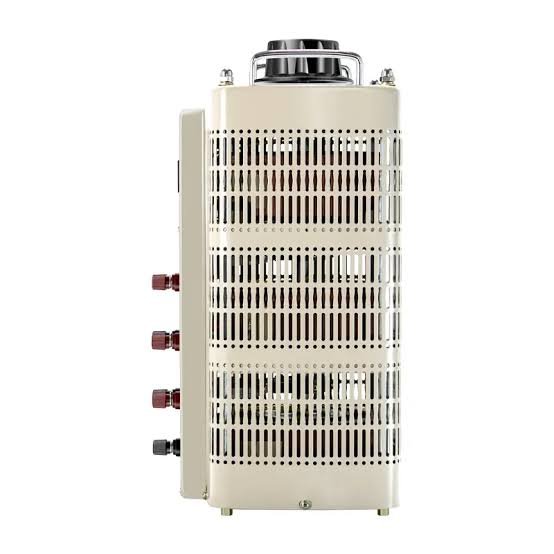
Step Down Transformer for Printer and Plotter
A 110V printer or plotter is sensitive to voltage. Too low and the print head misfires; too high and the power supply overheats. This guide covers the right step-down transformer for home inkjets, office laser printers, large-format plotters and commercial print shops in any 220V country.

Why printers need accurate voltage
Inkjet and laser printers use sensitive switched-mode power supplies that expect a stable input voltage. Low voltage causes the print head to underperform, leaving streaks or missing colours. High voltage stresses the power supply capacitors, shortening their life. A step-down transformer that delivers accurate 110V keeps the printer in its design window.
Plotters and large-format printers are even more sensitive — colour calibration depends on consistent print head temperature, which depends on stable voltage.
What size transformer do you need?
| Printer type | Running wattage | Recommended transformer |
|---|---|---|
| Home inkjet (small) | 20-50W | 500VA |
| Office inkjet / laser | 50-300W | 500-1000VA |
| Office laser / multifunction | 300-800W | 1000-1500VA |
| Photo printer / A3+ | 50-150W | 500-1000VA |
| Large-format plotter | 100-400W | 1000-1500VA |
| Production plotter | 400-1500W | 2000-3000VA |
| Commercial printer / digital press | 1500-3000W | 3000-5000VA |
Why an isolation transformer is right
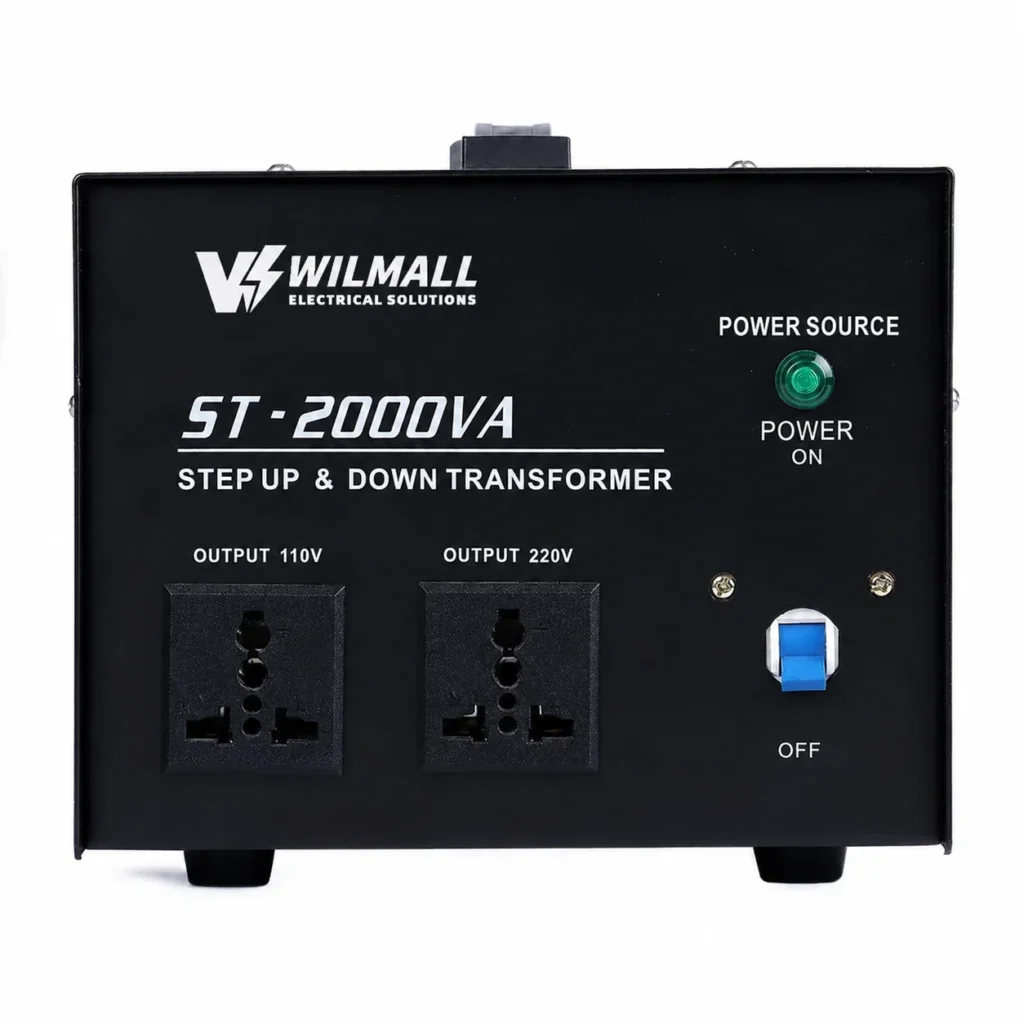
An isolation transformer delivers accurate 110V with galvanic separation from the mains. For printers with sensitive electronics, the isolation reduces electrical noise and protects against transients on the mains. An autotransformer without isolation is cheaper but exposes the printer electronics to mains noise — a common cause of print quality issues and premature failure.
Multiple printers on one transformer
For a small office or print shop running several printers, calculate the combined running wattage and add 25% margin. Three office printers (300W each) plus a plotter (400W) total 1300W — choose a 2000VA transformer.
Why print quality suffers on unstable power
Voltage instability affects print quality in two ways. First, the print head temperature varies, which changes ink droplet size and colour density. Second, the paper feed motor may run at slightly different speeds, causing misalignment between colour passes. A transformer with stable output eliminates these issues.
RCD and earth considerations
Printers with metal cases benefit from RCD protection on the transformer. The RCD trips on leakage current if any internal fault develops. Also ensure the printer earth connection is maintained through the transformer.
Standby and eco-mode power
Modern printers spend most of their life in standby, drawing 1-5W. A 500VA transformer easily handles a single printer in standby. The peak happens at print start, when the fuser heats to operating temperature in a few seconds.
Print head and ink considerations
Inkjet printers with thermal print heads are sensitive to voltage variation. Low voltage can cause the print head to underheat, leading to missing ink droplets and streaky output. A transformer with accurate 110V output keeps the print head within its design temperature window.
For high-end photo printers (Canon imagePROGRAF, Epson SureColor), accurate voltage is essential for colour consistency across long print runs.
3D printers and small CNC
Desktop 3D printers and small CNC machines are usually 110V or 220V depending on the model. For 110V models in a 220V country, a step-down transformer in the 500-1500VA range is the typical size. The printer heated bed draws continuous current, so size for that load with margin.
Voltage and print quality for plotters
Large-format plotters and cutters draw 100-1500W depending on size. HP DesignJet, Canon imagePROGRAF, Roland and Mimaki plotters are common in the 220V market. For 110V models in a 220V country, a step-down transformer must deliver stable voltage over long print runs.
Heat and ventilation
Printers generate heat from the fuser, the motors and the electronics. The transformer adds a small amount of heat from its own losses. In a print room or office, keep both printer and transformer well-ventilated.
Common mistakes
- Using an electronic converter. Most do not deliver accurate voltage.
- Sizing too small. An undersized transformer runs hot.
- Skipping RCD protection. Printers are plugged in 24 hours a day.
- Ignoring the fuser surge. Laser printers draw a surge at print start.
- Using an autotransformer. No isolation means more mains noise.
Buying the right transformer
For home printers, the ST-1000 (1000VA) is the typical size. For small offices, the ST-2000 (2000VA) covers multiple machines. For production print shops, the STU-3000 (3000VA) or STU-5000 (5000VA). Wilmall supplies these factory direct from Yueqing, China.
Do you actually need a transformer for your printer?
Before buying any transformer, check the printer nameplate or power supply label. Most modern printers sold globally are dual-voltage (100-240V) and work directly on 220V mains with no transformer. The label on the power adapter or near the input socket will say either “100-240V” or a single voltage such as “120V”. Only single-voltage 110V units need a step-down transformer.
Printer inrush and fuser warm-up
Laser printers have a fuser that heats to 180-200°C within seconds of the first print. This warm-up draws a short surge of current, typically 3-5 seconds, at about 2-3 times the running wattage. An undersized transformer sags during this surge, causing the fuser to warm slowly and the printer to report an error or take much longer on the first page. Sizing with margin avoids this.
Multiple devices on one office transformer
A typical small office may run a printer, a scanner, two monitors, a router and a small NAS from one transformer. Sum the running wattage of everything powered simultaneously and add 30% margin. For example, a printer at 300W, two monitors at 60W each, a router at 10W and a NAS at 40W total 470W; a 1000VA transformer covers it with margin, while a 2000VA unit allows room to grow.
Voltage quality and print consistency
Printers with colour calibration — photo printers, large-format plotters, digital presses — depend on stable voltage for consistent output. If the local 220V supply fluctuates, the print head temperature and feed motor speed vary, causing banding, colour drift and misregistration across long print runs. An isolation transformer with a tightly wound secondary delivers the clean, stable 110V these machines need.
Warranty and support considerations
When you buy a transformer for a printer, keep the documentation and warranty card. A quality transformer from a factory carries a 12-month warranty, and batch test records confirm the unit was verified at full load. For commercial print shops where downtime is expensive, a spare transformer on the shelf is a practical investment.
Isolation and noise filtering for printers
An isolation transformer also acts as a noise filter. The mains in many 220V countries carries spikes and interference from motors, switching supplies and lightning. An isolating step-down transformer with a good shield between primary and secondary blocks much of this noise, protecting the printer electronics and improving print quality consistency.
Printer and plotter sizes for the most common brands
For a typical home inkjet such as an Epson EcoTank or HP Envy, a 500VA transformer is ample. For an office laser like a Brother or HP LaserJet, 1000VA covers the fuser surge. For a Canon imagePROGRAF large-format plotter, 1500-2000VA is appropriate. For a production digital press, 3000-5000VA. Check the model nameplate and size with 25% margin.
Installation tips for print rooms
In a print room, mount the transformer on a wall bracket or shelf above the machines, away from the paper feed and the floor. Keep it clear of toner dust, which can build up on vents and restrict airflow. A clean, ventilated transformer runs cooler and lasts longer, and a stable supply protects your print investment.
Fuser warm-up and first-page time
A laser printer fuser draws a short but heavy surge at the start of every print job. If the transformer cannot deliver this peak, the fuser warms slowly and the first page takes much longer, which is annoying in an office. A correctly sized transformer with margin keeps the first-page time at the manufacturer specification.
Surge protectors and UPS for print equipment
For printers used professionally, add a surge protector or UPS on the transformer output. A UPS handles brief power blips and gives you time to save a large print job. A surge protector blocks the spikes that can damage printer boards during storms. Combined with the transformer, they make the print setup nearly immune to grid problems.
Earth connection and ESD
Printer electronics are sensitive to static and earth faults. Ensure the transformer is properly earthed and the printer chassis is connected through the supply. A good earth path prevents electrostatic damage during paper handling and protects the machine from lightning-induced surges.
Final recommendation for printer transformers
For a single home printer, a 500-1000VA transformer is ample. For office fleets and plotters, 1500-3000VA. Wilmall supplies ST series step-down transformers factory direct with copper winding, RCD protection, CE / RoHS documents and 12-month warranty. MOQ 1 pc for stock units, 10 pcs for custom voltage, 15-25 day lead time.
Frequently asked questions
Printer and Plotter Sizing: The Warm-Up Spike
Printers and plotters have a distinct power profile: they spike during warm-up and printing, when the fuser and the motors all draw at once, and then idle at a low draw. A laser printer can draw 800W to 1200W during the warm-up and printing phase, even though its average is much lower. The practical sizing is 1500VA to 2000VA for a laser printer or a plotter, which covers the spike without tripping. Inkjet printers draw less and are comfortable on 1000VA. If the printer runs at the same time as a computer and a monitor, add their wattages. The warm-up spike is the moment an undersized transformer fails, so the headroom matters. Our ST series handles the cycling of a printer’s fuser without overheating. Send us the printer’s nameplate input rating and we will confirm the size.
What size transformer do I need for a printer?
For a home or small office printer, 500-1000VA. For multiple office printers or a large plotter, 2000-3000VA. For commercial print shops, 5000VA.
Does voltage accuracy matter for printers?
Yes. Low voltage causes print head underperformance. High voltage stresses the power supply. An accurate 110V output keeps the printer in spec.
Why use an isolation transformer for a printer?
An isolation transformer delivers accurate 110V and galvanic separation from the mains, reducing electrical noise.
Can I use an electronic converter for a printer?
Not recommended. Most electronic converters do not deliver accurate voltage.
Can I run multiple printers on one transformer?
Yes. Calculate the combined running wattage and add 25% margin.
Related reading
Get a factory-direct quote
Email info@wilmall.com or WhatsApp +86 197 3022 6757.