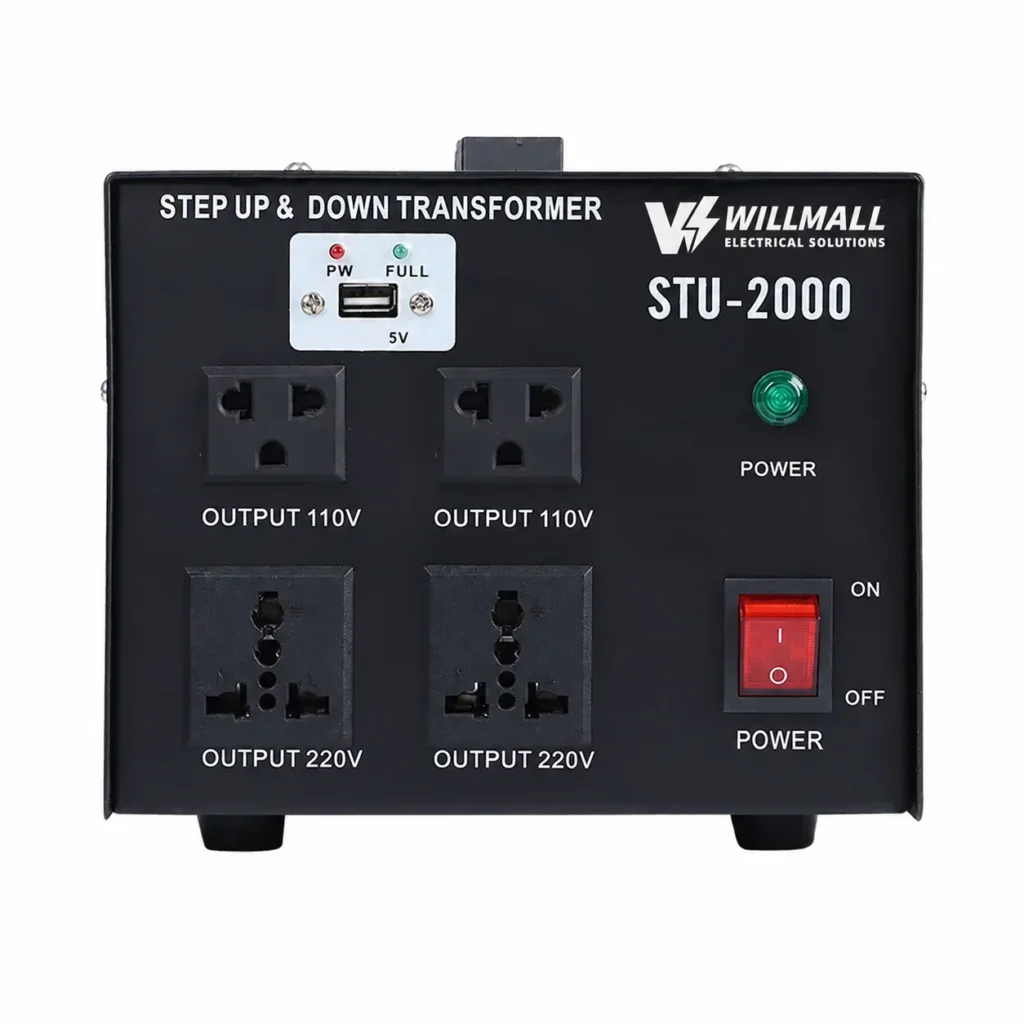
Step Down Transformer for Offices: 220V to 110V Guide
Offices are quieter about voltage problems than kitchens are, and that is exactly why they catch facility managers out. Nothing sparks. Nothing trips. A 110V laser printer just prints a little slower, a scanner throws an error once a week, and a server that was supposed to run on 120V spends two years running slightly out of spec until a drive fails at the worst possible moment. By the time anyone suspects the supply, the equipment has already paid the price.
I work at a transformer factory in Yueqing, China, and office orders come to me from fit-out contractors, IT managers and facilities teams across the Gulf and Southeast Asia. Most of them are mid-project when they call. The building is 220V, the equipment schedule came from a US or Canadian head office, and somebody has just realised that the two do not meet in the middle. This is the conversation we have, and it usually takes one afternoon to sort out.

Why an Office on 220V Supply Still Needs 110V
There are two patterns I see constantly. The first is a global standard. A company runs one IT procurement list across every region, and that list was written around North American equipment, so the office in Dubai or Doha receives 120V hardware because that is what the global catalogue contains. Copiers, wide format printers, network switches, UPS units, sometimes even the desk fans all arrive on 110V plugs.
The second is specialty equipment. Large format plotters, production print machines, dental and medical office gear, lab instruments and broadcast kit are often bought from US suppliers because that is where the model they need is made or where the used market is deep. Those machines do not come with dual voltage inputs, and rewiring them is not realistic.
The third one, which surprises people, is the opposite direction. Offices that move 220V equipment into a 110V building, or that buy European 230V hardware for a US-spec floor, need the supply to go up rather than down. That is why we build bidirectional units, and it is worth saying now because the transformer you buy should handle whichever direction your next fit-out needs.
Office Equipment That Usually Needs a Transformer
Send me an office equipment schedule and I will sort it into three piles: needs a transformer, already dual voltage, and needs a dedicated unit. Here is how the first pile usually looks.
- Laser printers and multifunction copiers, usually 400W to 1500W running, but with a fuser that draws a heavy surge for a few seconds on every print job.
- Wide format plotters and production printers, 800W to 2500W, and they matter because they run at high draw for long stretches.
- Desktops and workstations built for the US market, 200W to 600W, often with a fixed 120V input rather than a wide range supply.
- Older servers and storage arrays, 300W to 1200W, running twenty-four hours a day.
- US-spec network gear, switches, routers and appliances rated 120V only, typically 50W to 300W.
- UPS units with a fixed input voltage, which is a trap, because a UPS designed for 120V input will not accept your 220V wall and cannot simply be bypassed.
- Specialty office machines, label printers, laminators, binding equipment, plotters, and clinical or dental equipment in a medical suite.
- Small appliances in the pantry and reception, coffee machines, water boilers, microwave, all of which behave like kitchen loads rather than IT loads.
Now the pile that does not need one, and this is where offices waste money. Almost every modern laptop, monitor, phone charger, dock and network device carries a 100-240V, 50/60Hz rating. Those devices are already at home on your 220V supply and only need a plug adapter. Check the label before you add them to a load schedule, because counting two hundred monitors at 40W each will push you into a transformer size you do not actually need.
Sizing an Office Transformer by Circuit, Not by Desk
The mistake I see most often is sizing by headcount. Fifty desks does not mean you need a transformer sized for fifty computers, because most of those computers are dual voltage and do not touch the transformer at all. Size by circuit instead. Group the 110V equipment onto dedicated 110V circuits, add up what runs on each circuit, then size the transformer for that circuit.
Worked example. A print room has a multifunction copier at 1400W, a wide format plotter at 1200W and a finishing unit at 600W. Realistically the copier and the plotter can both be mid-job at the same time, so call it 2600W. The copier fuser surges hard on start, so add 40 percent rather than 25, which puts you near 3650VA. That points to an STU-5000, our 5000VA bidirectional unit, with sensible margin for the next machine they buy.
Second example. An IT cupboard with two US-spec servers at 600W each, a switch at 150W and a small KVM and monitoring load at 100W. Total 1450W, running continuously. Continuous loads are the ones that cook a transformer, so I would not put a 1500VA unit on that. We would go to a 2000VA unit with RCD protection, which is our ST-2000, or an STU-3000 if there is any chance of a third server later. The RCD also gives that cupboard local protection, which IT teams appreciate when the rack is in a corridor.
| Office equipment | Typical running watts | Duty pattern | Sizing note |
|---|---|---|---|
| Laser printer or copier | 400 – 1500 W | Surge on every job | Add 40 percent for the fuser |
| Wide format plotter | 800 – 2500 W | Long high-draw runs | Size on running load, do not shave the margin |
| US-spec workstation | 200 – 600 W | Business hours | Only if the input is fixed at 120V |
| Rack server | 300 – 1200 W | Continuous, 24 hours | Continuous duty, needs generous headroom |
| Network switch or router | 50 – 300 W | Continuous | Usually grouped with the IT unit |
| Fixed-input UPS | Varies with connected load | Continuous plus charge cycles | Confirm the input voltage before ordering |
| Pantry and reception appliances | 900 – 1800 W | Short resistive bursts | Keep them off the IT circuit |
One rule of thumb I give every office buyer: if the load runs all day, size it as though it were a motor load. Insulation life drops fast with temperature, and a transformer that sits at 80 percent of rating for nine hours a day will not see out its warranty the way a unit that spends most of its time at half load will.
Servers, IT Racks and the UPS Question
Server rooms deserve their own paragraph, because the load profile is unlike anything else in an office. A rack is on every hour of every day, it never gets a rest, and it is usually in a cupboard with poor ventilation because nobody planned for the heat. Add a fixed-input UPS in front of it and you have a supply chain that needs to be right the first time.
Put the servers on their own transformer rather than sharing with a print room. If a copier fuser surges and drags the supply down for a fraction of a second, the last thing you want on the other end of that transformer is a database server writing to disk. Separate units cost a little more and remove a whole class of problem.
Watch the UPS carefully. A UPS built for 120V input will not accept 220V, and many of them will not accept a modified waveform from a cheap converter either. Tell us the make and model of the UPS when you ask for a quotation and we will flag it if there is anything to check. This is one of the few places where I would rather ask a buyer two extra questions than ship a unit that arrives and does not work.
Where to Put It: Heat, Noise and Cable Runs
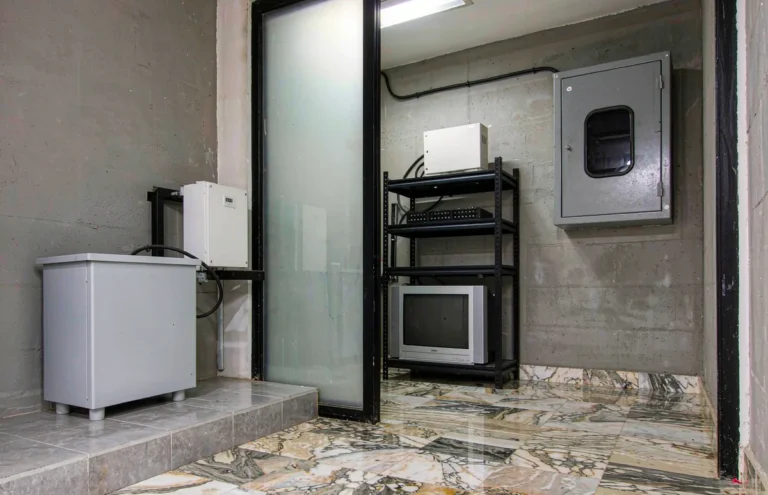
An office transformer belongs in a ventilated position with clear space around it. Servers of heat build up inside a closed joinery unit or a sealed cupboard, so leave the vents open and do not stack paperwork against the case. It will hum slightly, which is normal for a magnetic device, so if it is going to sit next to a workstation, plan for that. Putting it in a service cupboard behind a door solves both issues at once.
Cable runs matter too. Keep the 110V run short and keep it separate from data cabling where you can. Bond the enclosure to earth, and wire the 110V output as a proper circuit with its own protection rather than feeding a trailing multi-socket that somebody will eventually overload. Offices are messy places for extension leads, and a transformer is not a licence to add more of them.
What We Build for Office and IT Projects
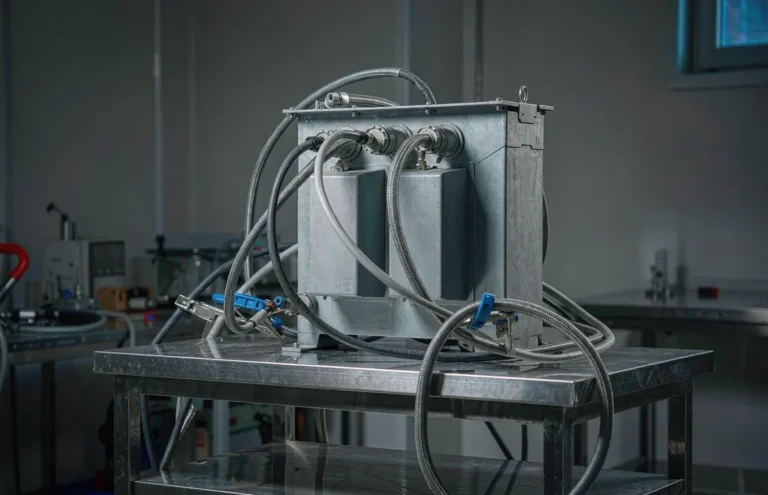
The ST-2000 is our 2000VA step down unit, 220V in and 110V out, with RCD protection built in. It is the right answer for a small print room, a single fixed-input UPS load, or a server cupboard with two or three machines in it. The RCD is not decorative in that setting, because IT cupboards get used for storage and things get plugged in behind cabinets where nobody is looking.
When the load grows, the STU-3000 and STU-5000 take over. Both are bidirectional, so they step down and step up from the same box, and they suit print rooms, wider IT loads and any fit-out where the equipment schedule mixes 110V and 220V hardware from different regions. Bidirectional capability saves a procurement headache the next time head office changes the equipment standard.
The DT-1000VA is our bidirectional automatic unit, sized for smaller loads. It works well at a reception desk, a small branch office, a kiosk or a single fixed-input device. Then there is the Variac range at 500VA, 1KVA, 2KVA and 3KVA with adjustable output voltage. Offices rarely think they need one until commissioning day, when a technician has to bring an imported machine up gently rather than switching full mains into it. After that first project, most IT teams keep one on the shelf.
Everything we ship is wound with copper and 100 percent tested in our own factory here in Yueqing, with a batch test record covering input voltage, output under load and no-load current. For an office, that record is not paperwork for its own sake. It is what your IT manager will ask for when something gets blamed on the power supply.
MOQ, Lead Time and Fit-Out Scheduling
Our minimum order is 1 piece for stock units, 10 pieces for custom voltage, production runs 15 to 25 days, we ship FOB Ningbo or Shanghai, and every unit carries a 12-month warranty. If you are a fit-out contractor working to a handover date, tell us the date at the start. We would rather build early and hold the units than have your programme slip because a shipment missed a vessel.
Customisation for offices usually means sockets. We can supply units with the socket type your building uses, set the output to 110V or 120V to match your equipment labels, print your company or project reference on the faceplate, and pack units individually so each one arrives at the right floor with its own paperwork. For multi-floor fit-outs, give us the floor schedule and we will label and stage the boxes accordingly, which saves your site team a surprising amount of time on handover day.
What to Send Us for a Same-Day Answer
Send the equipment schedule with the watts from each nameplate, a photo of one or two nameplates, your mains voltage and frequency, the socket type in the building, how many 110V circuits you plan, and your handover date. With that we can size each unit, quote quantities and give you a delivery window, usually the same working day. If the schedule is still being finalised, send the draft. Sizing an office transformer from a draft is easy; fixing one after the hardware has been bought is not.
If your fit-out also includes a staff break-out area with gaming hardware, our guide to a Step Down Transformer for Gaming Console: PS5 & Xbox Guide covers the console side of that, which has its own inrush habits. For the difference between stepping down, stepping up and doing both from one box, our page on step up & down transformers explains it without the jargon. And our more buying guides cover printers, pumps, air conditioners and the rest of the loads that turn up in a commercial fit-out.
If you are not sure whether a device needs a transformer at all, send us the nameplate photo. Reading a voltage label takes us ten seconds and it can save you a purchase.
Office Transformer Questions Buyers Ask Most
These are the questions that arrive most often from IT managers and fit-out contractors, answered the way I would answer them on a call.
Does my office really need a step down transformer for computers?
Usually not. Most modern desktops, laptops, monitors and docks are rated 100-240V, 50/60Hz, so they run straight off 220V with a plug adapter. You only need a transformer for equipment with a fixed 110V or 120V input, such as US-spec printers, older servers, fixed-input UPS units and specialty machines.
What size step down transformer do I need for an office print room?
Add the running watts of the machines that can work at the same time, then add about 40 percent because a copier fuser surges hard on every job. A copier at 1400W plus a plotter at 1200W plus a finisher at 600W lands near 3650VA, which points to a 5000VA bidirectional unit with room to grow.
Can I run servers and a copier on the same step down transformer?
You can, but we advise against it. A copier fuser draws a heavy surge on every print job, and that momentary dip travels to everything on the same transformer. Servers run continuously and are the last thing you want disturbed, so give the IT rack its own unit and keep the print room separate.
Why does my UPS not work through a step down transformer?
Most fixed-input UPS units are built for one input voltage only, so a 120V model will not accept 220V from the wall, and some will not accept a poor waveform either. Check the UPS nameplate before ordering. Send us the make and model and we will confirm whether a transformer will work with it.
What is the lead time for an office transformer order?
Our MOQ is 1 piece for stock units, 10 pieces for custom voltage and production runs 15 to 25 days, shipping FOB Ningbo or Shanghai. Every unit carries a 12-month warranty and is 100 percent tested in our Yueqing factory with a batch test record. For fit-out projects, tell us your handover date and we will schedule production around it.
Send us your equipment schedule and we will size the transformer for each circuit. Tell us the watts from the nameplates, how many 110V circuits you are planning, and where the office is. We will come back with a recommended unit per circuit, a quantity and a price, normally the same working day.
Or talk to us directly: WhatsApp +86 197 3022 6757 · Email info@wilmall.com
MOQ 1 pc (stock) / 10 pcs (custom) · Lead time 15-25 days · FOB Ningbo or Shanghai · 12-month warranty